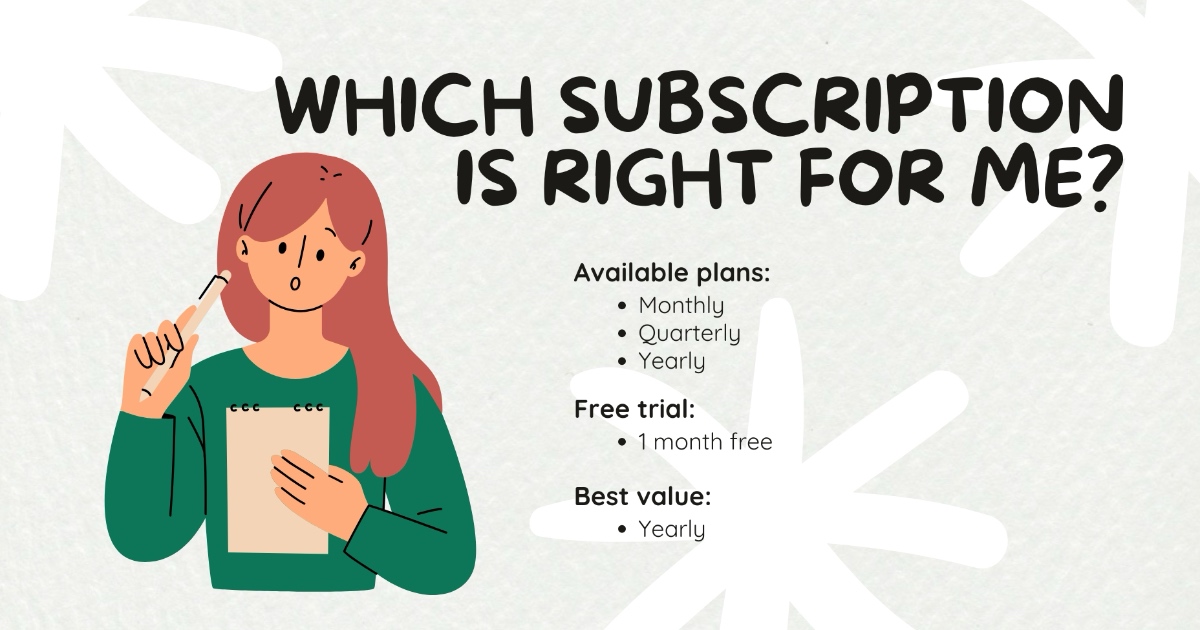
Counsel Planner is free to download. You don’t need to buy anything to get started: install the app, explore it, get comfortable with the interface. Only when you decide to use it in earnest does a subscription come into play — and even then, the first month is yours at no cost.
First: try it with sample data
Before entering your real cases, we recommend exploring the app with the preloaded sample data. You’ll see how a matter file works, how to add a hearing, how to navigate between sections — without touching anything important.
When you’re done exploring, you can clear the sample data with a single tap and start fresh with your own matters.
When you’re ready: the subscription
The subscription is purchased directly inside the app, from Settings → Subscription. The first time, you always get a free trial month: full access to every feature, no commitment.
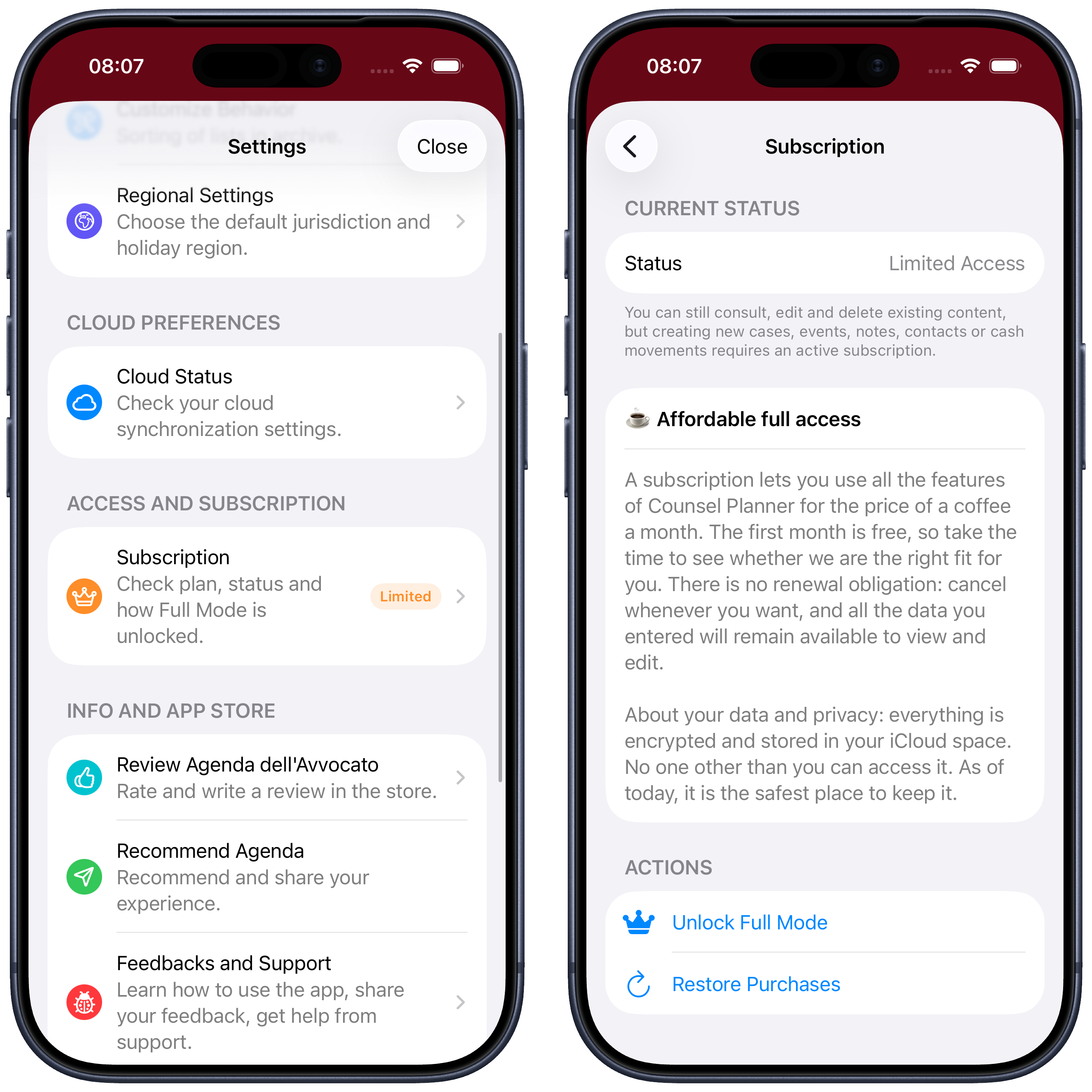
If you decide within the month that it’s not for you, cancel and you won’t be charged anything. If you want to keep it, do nothing: the renewal starts automatically at the end of the trial.
Changing device or reinstalling
If you get a new iPhone or iPad, or reinstall the app, you do not need to purchase again. Go to Settings → Subscription and tap Restore Purchases: your subscription is automatically retrieved from your Apple account.
Available plans
You can choose from three plans:
- Monthly — maximum flexibility, renewed every month
- Quarterly — a small saving compared to monthly
- Annual — the best value: less than a coffee a month
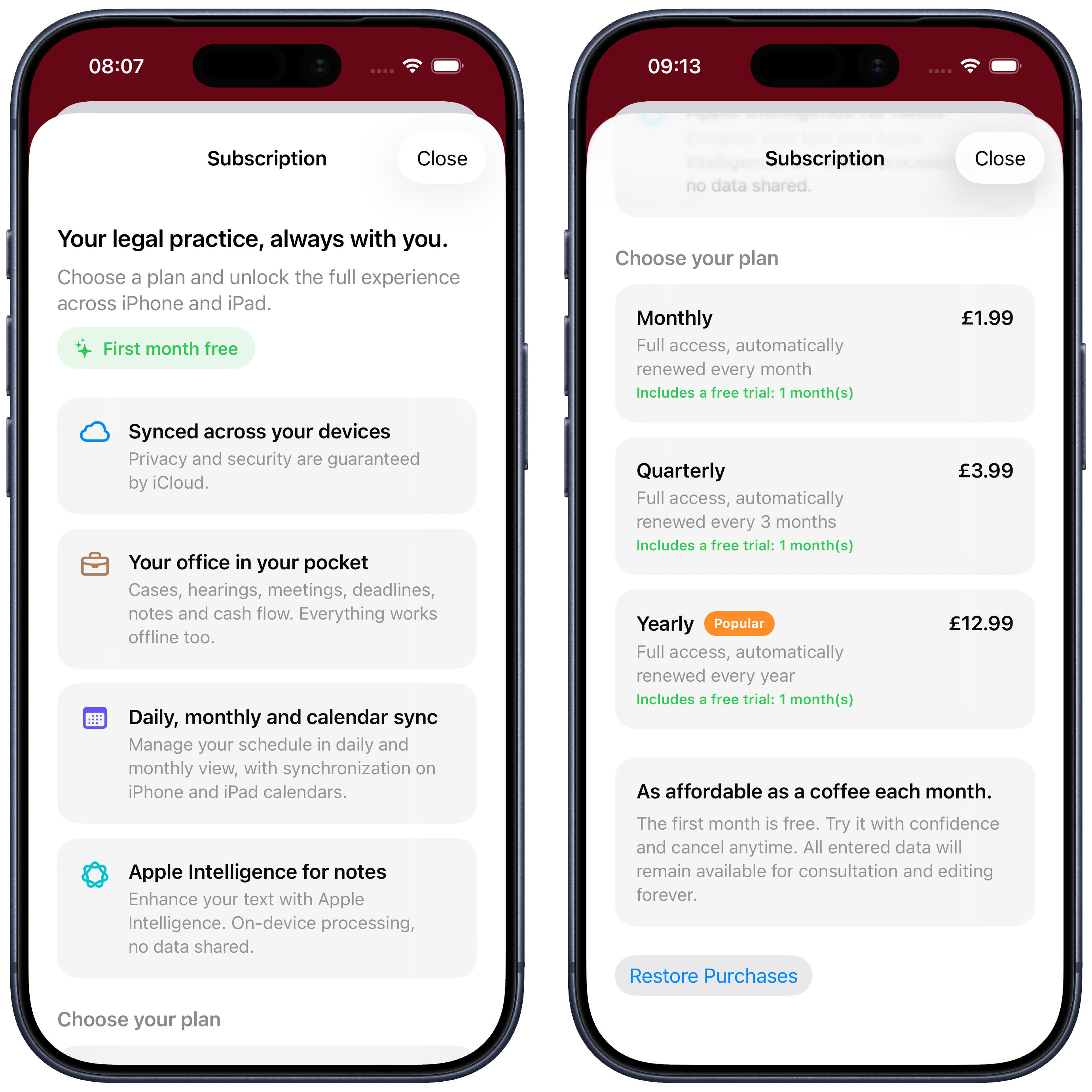
You can switch plans at any time. If you move from monthly to annual, Apple automatically calculates the remaining credit.
After subscribing
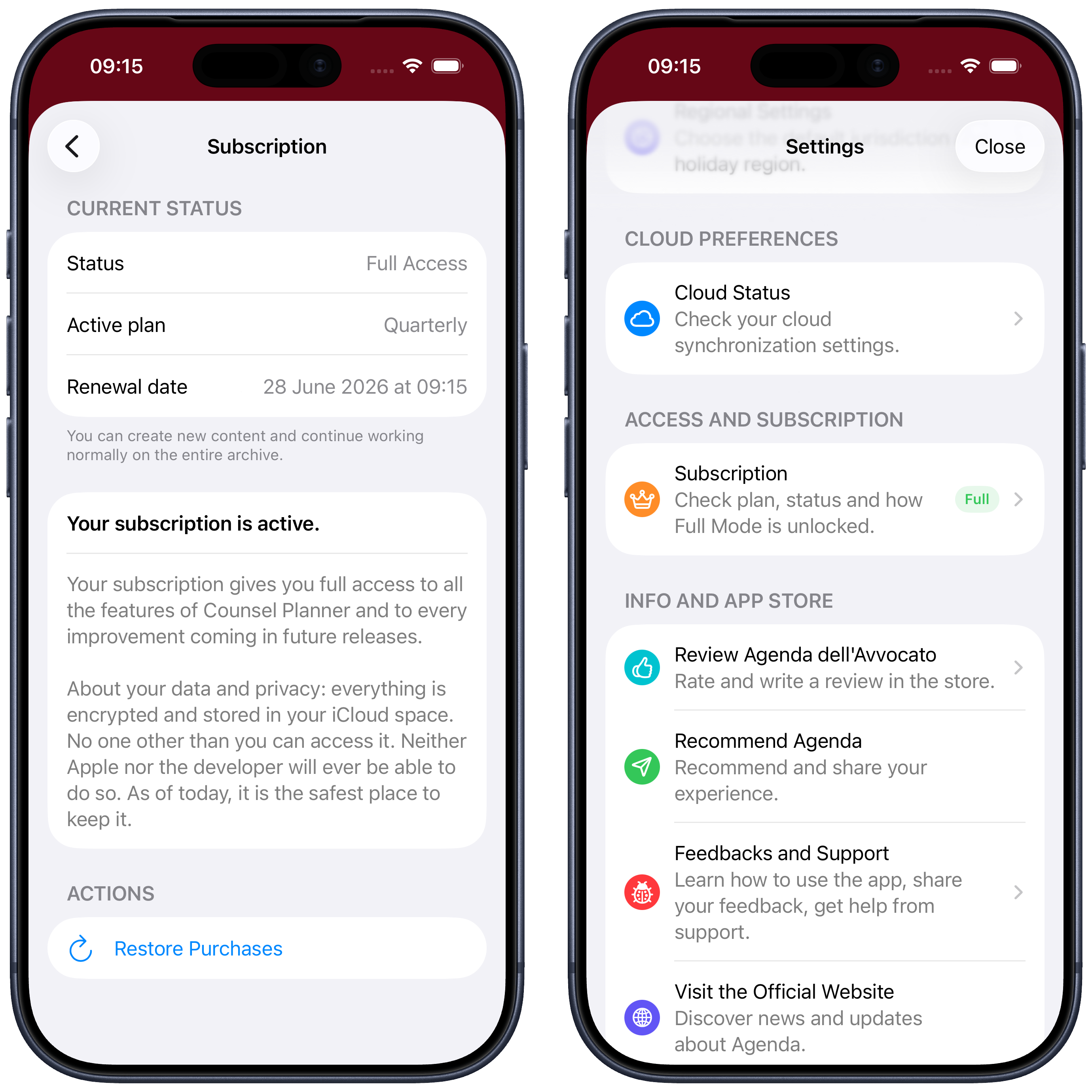
Once your subscription is active, Settings displays a summary of your chosen plan and its expiry date. The app status changes from Limited to Full: every feature is unlocked with no restrictions.
How the purchase works
The purchase is handled entirely by Apple, exactly like any other app on the App Store. It is charged to the Apple ID associated with your device — no card to enter in the app, no separate account to create.
You can manage, pause or cancel your subscription at any time directly from iOS Settings, without going through the app.
Useful Apple resources:
Questions about your purchase or subscription? Write to us at support@counselplanner.app — we reply within one or two working days.