Counsel Planner is not only designed to organise your work. It is also designed to share it properly. Sometimes you need to email a colleague a specific item, print out a day’s agenda, attach a deadline to a message or save a clean PDF to Files or iCloud.
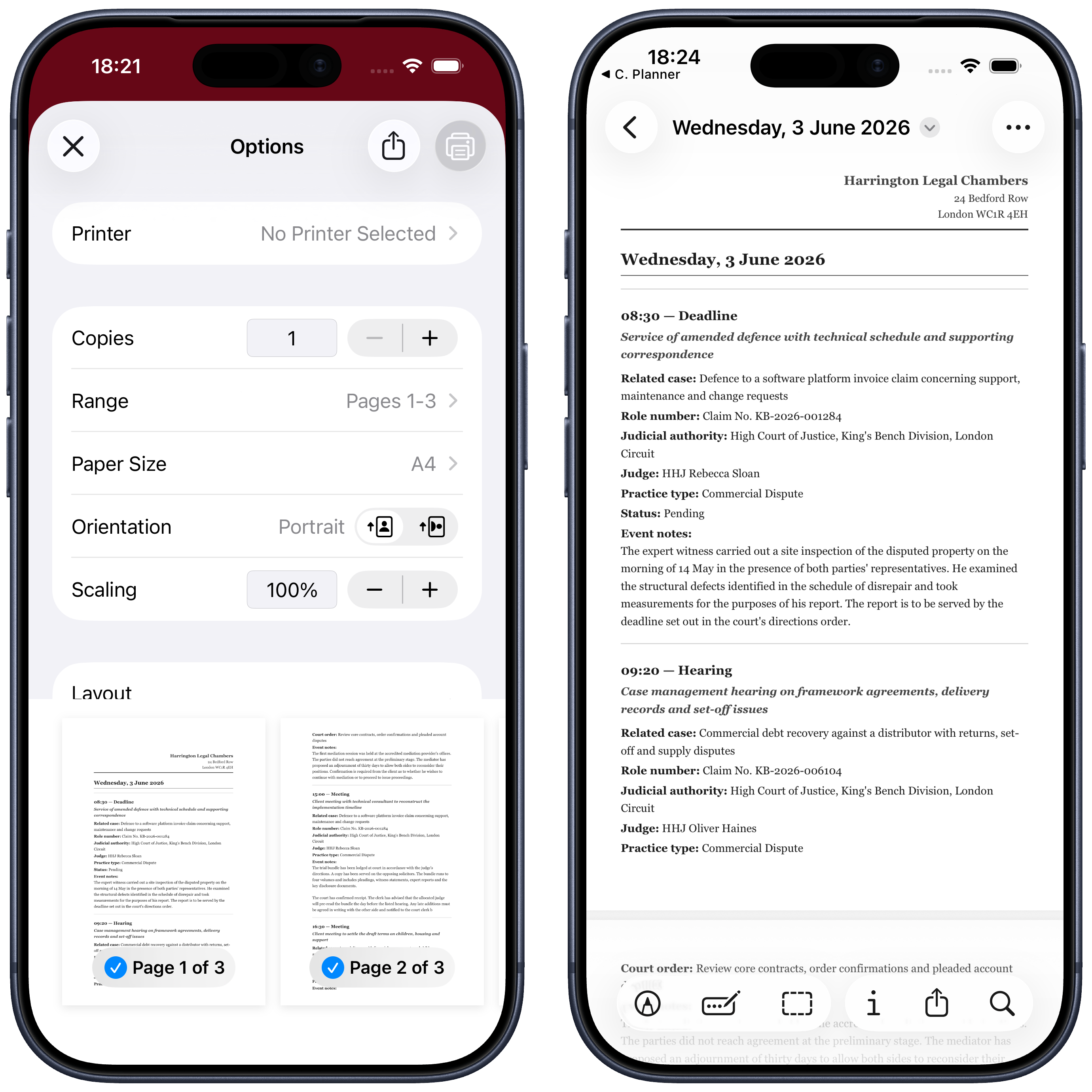
That is exactly what the sharing feature is for. In the examples below we use printing, but the logic is the same for email as well: choose the content, open the share sheet and decide how you want to export it.
First use case: exporting the daily agenda
The most immediate scenario is exporting an entire day from the agenda.
Open the daily view and use the share button. From there you can print, send by email or save the content in another format supported by iOS.
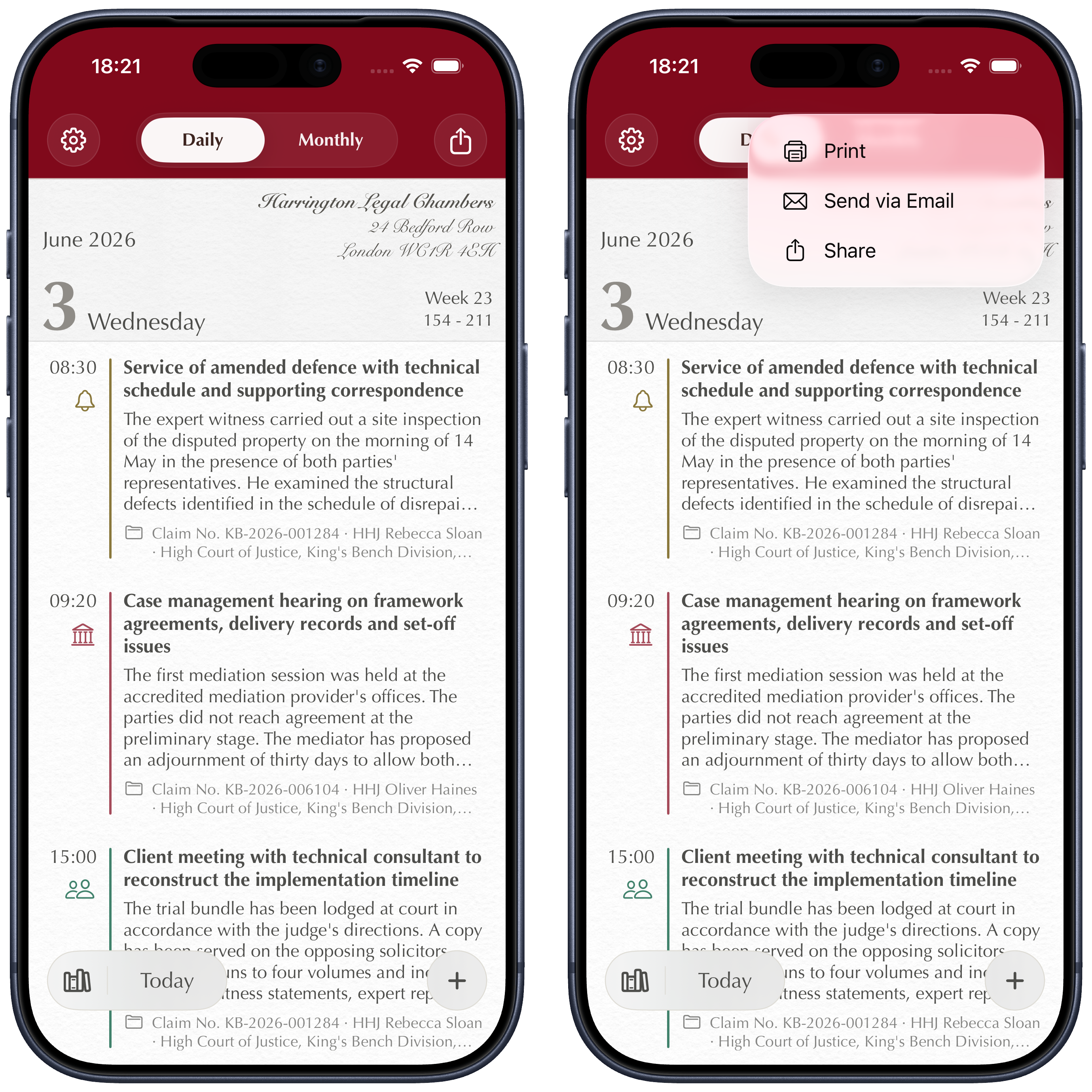
This kind of export is useful when you want a paper copy of the day’s work, need to send it to an assistant, or want to share it quickly with a colleague before a hearing or a meeting.
Second use case: exporting a single archive entry
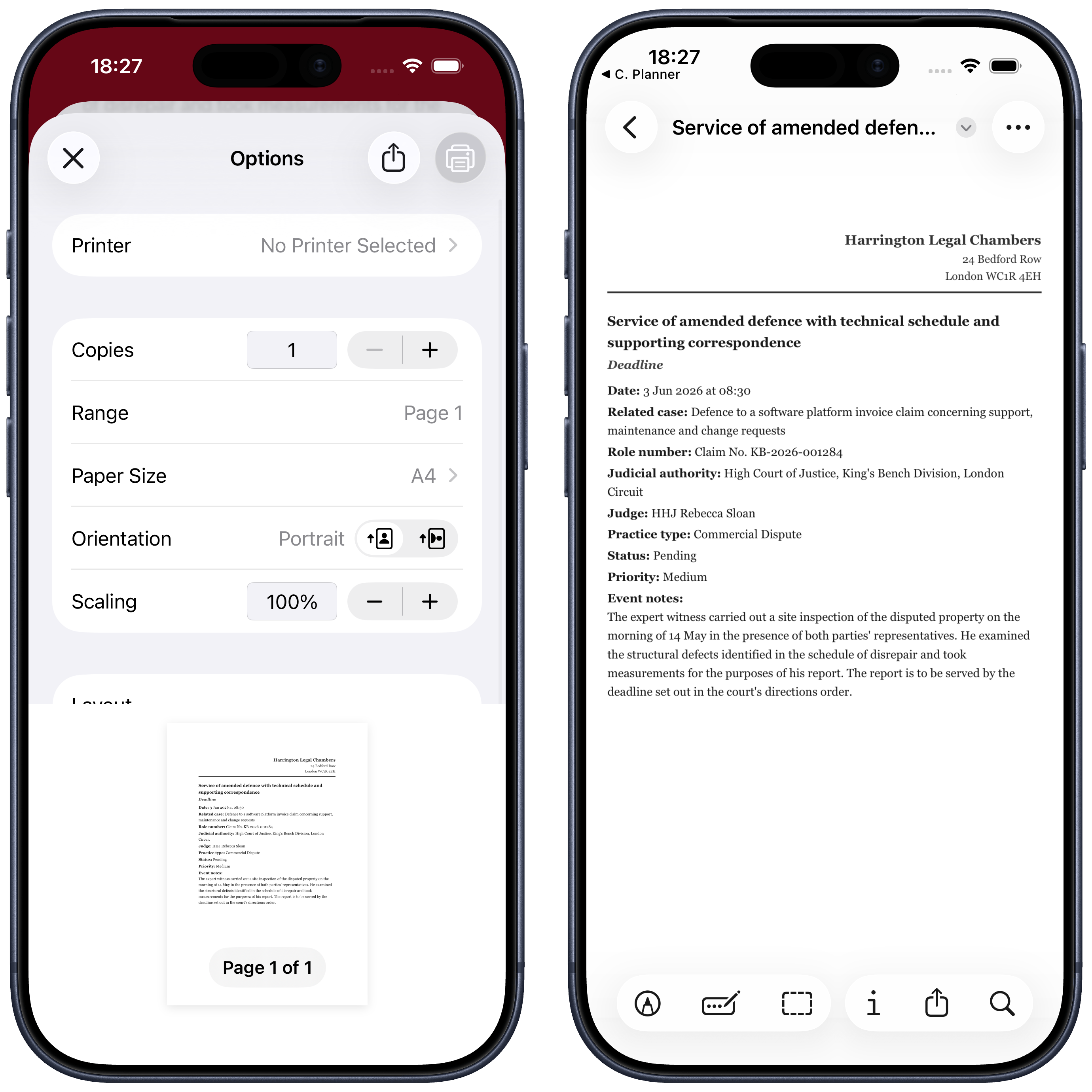
You will not always want to share a whole day. Sometimes one item is enough: a deadline, a hearing, a meeting, a note, a matter or even a cash transaction.
Open the specific entry you want from the archive and use the same share feature. In the example below it is a deadline, but the process is the same for the other types of content in the archive.
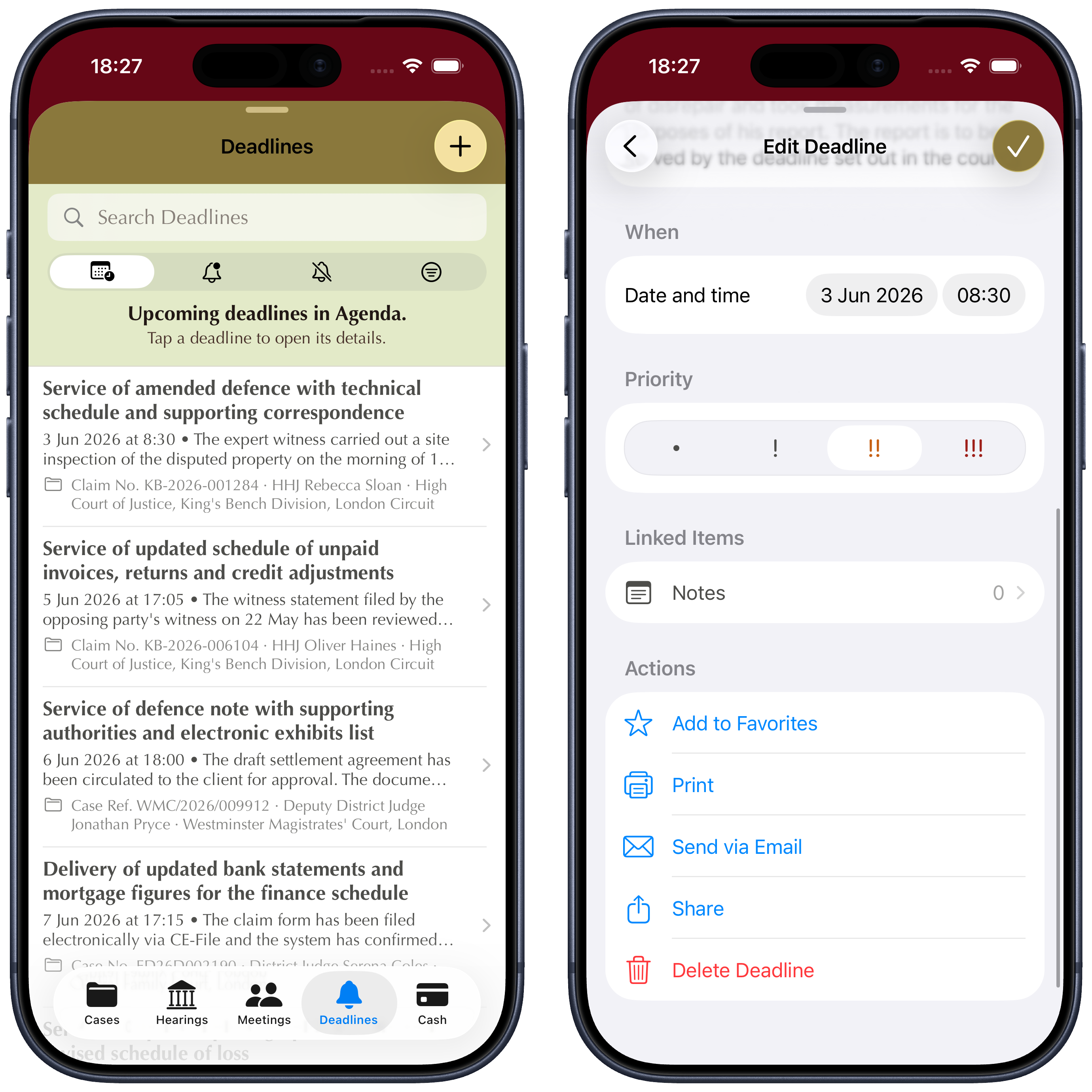
It is a very practical way to send a precise piece of information without forcing the recipient to work through the entire file.
Third use case: exporting the full monthly agenda
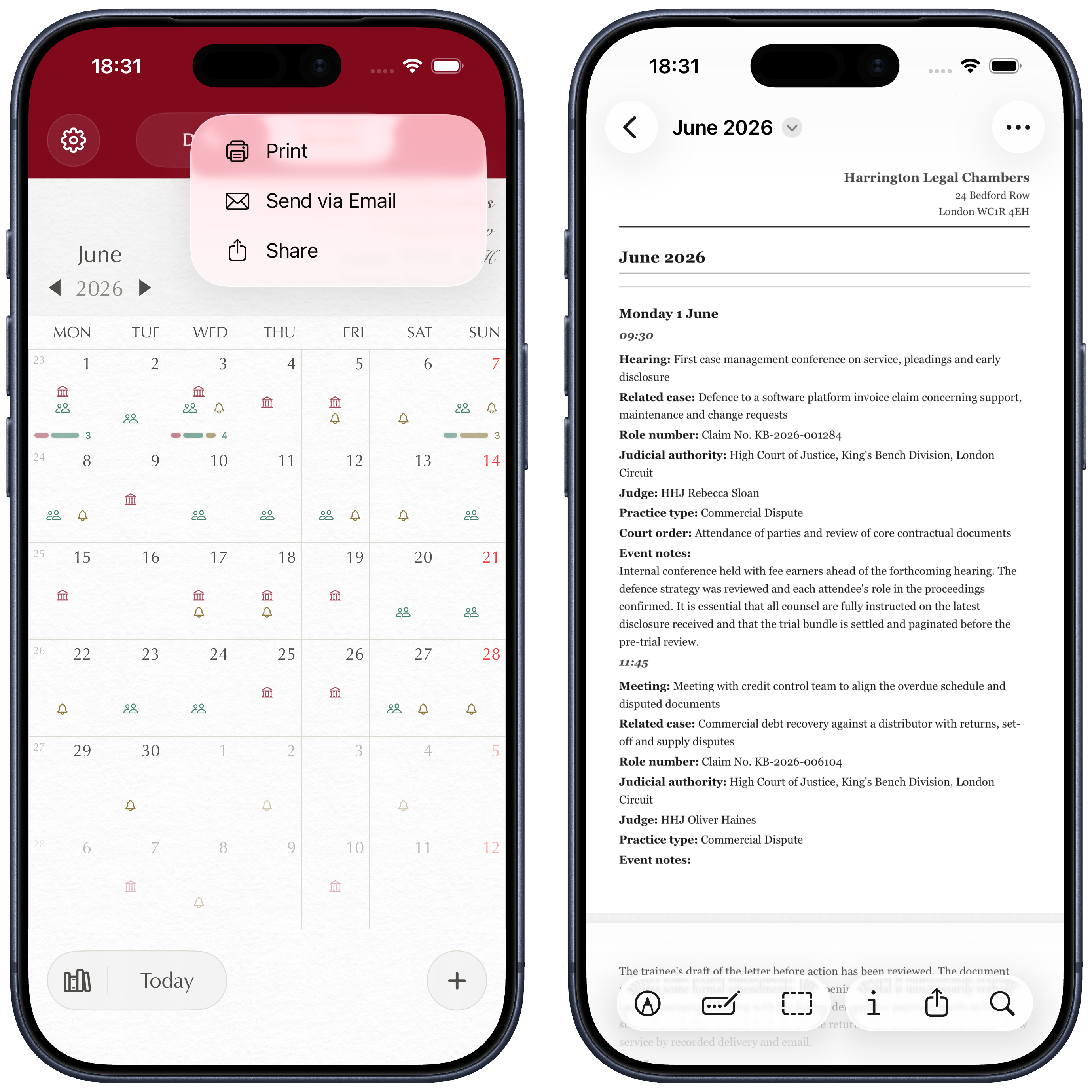
Another particularly useful option is exporting the full monthly view.
If you work with colleagues, printing or sharing the entire month gives everyone a clear overview of hearings, deadlines and public holidays. It is probably the most useful format when the goal is coordination rather than the detail of a single entry.
Saving the export as PDF
One especially important point is that export is not limited to printing or email. From the share sheet you can also choose Save to Files and keep the document as a PDF on the device or in iCloud.
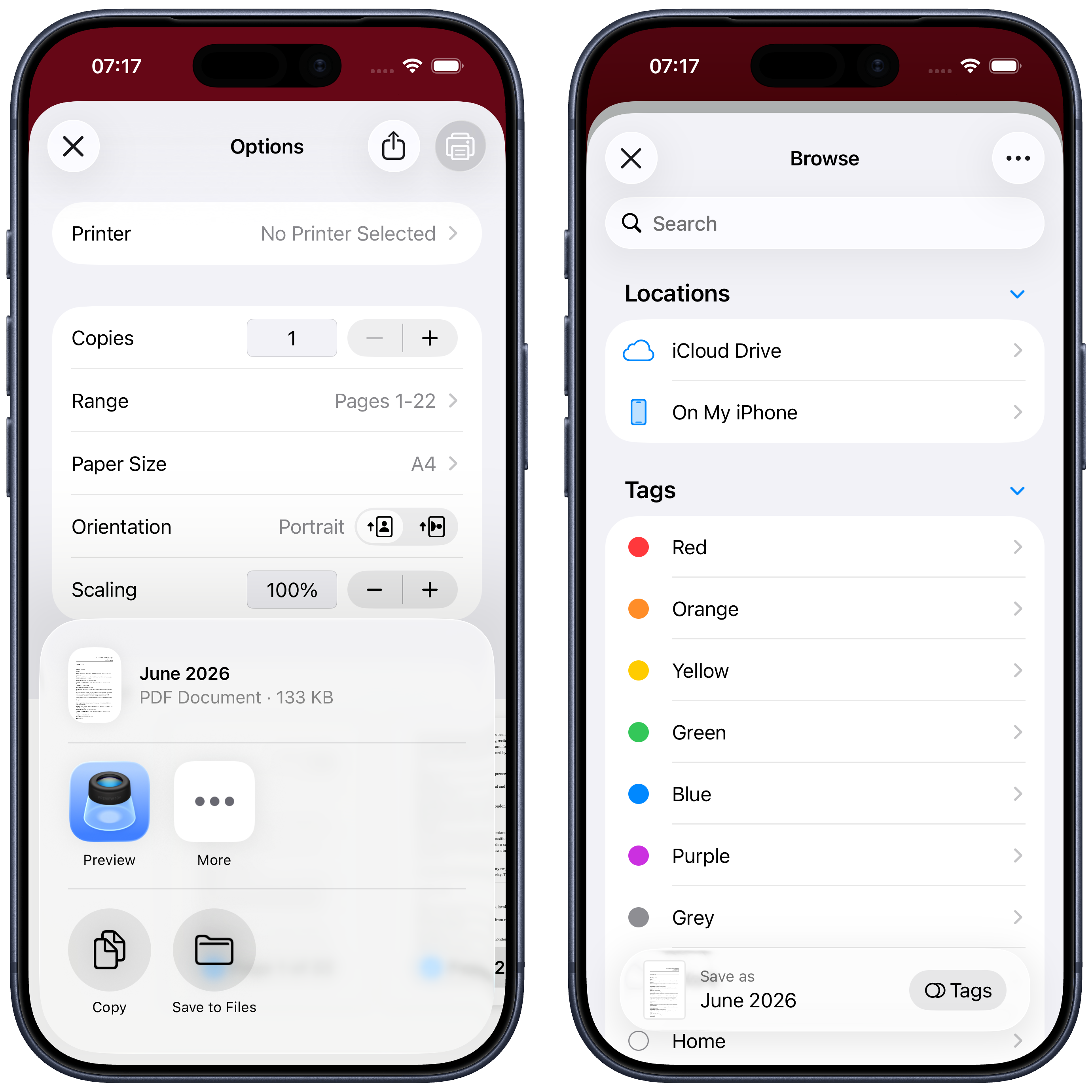
That makes the feature far more flexible. You are not simply printing content: you are creating a well-structured document that can be archived, forwarded, attached to an email or retrieved later when needed.
What the final PDF looks like
The exported file is built on a professional template:
- it includes the firm header
- it organises content day by day
- it lists each day’s items in chronological order
- it highlights public holidays in red
- it shows the linked matter or case file for each event
If you want to see the final result, you can open the sample file directly here: example.pdf.
Questions or something not working as expected? Write to us at support@counselplanner.app — we read everything and reply within one or two working days.